
2048 3D: 3×3×3 vs 4×4×4 — Which Cube Mode Should You Play?
Compare Uletime's two 2048 3D board sizes, from a compact 27-position cube to a larger 64-position challenge.
Play 2048 3DUletime's 2048 3D offers two ways to play the same three-dimensional merging game: a 3×3×3 cube and a 4×4×4 cube. Both support six directions of movement, rotating viewpoints, and matching-number merges. What changes is the amount of space—and how much of the cube you need to keep in mind.
If you're new to 3D 2048, start small. If you already understand how the three axes work, the larger board gives you a different planning challenge.
At a glance
| Feature | 3×3×3 | 4×4×4 |
|---|---|---|
| Total grid positions | 27 | 64 |
| Positions along each line | 3 | 4 |
| Movement directions | 6 | 6 |
| Board visibility | Easier to inspect | More depth overlap to manage |
| Main strategic pressure | Limited space | More pieces and more possibilities to track |
| Best starting point | Learning the controls | Exploring longer sequences |
The total number of positions is the cube of the side length: 3 × 3 × 3 = 27, while 4 × 4 × 4 = 64. These are possible board positions, not the number of blocks you see at the start of a game.
3×3×3: Compact and easier to read
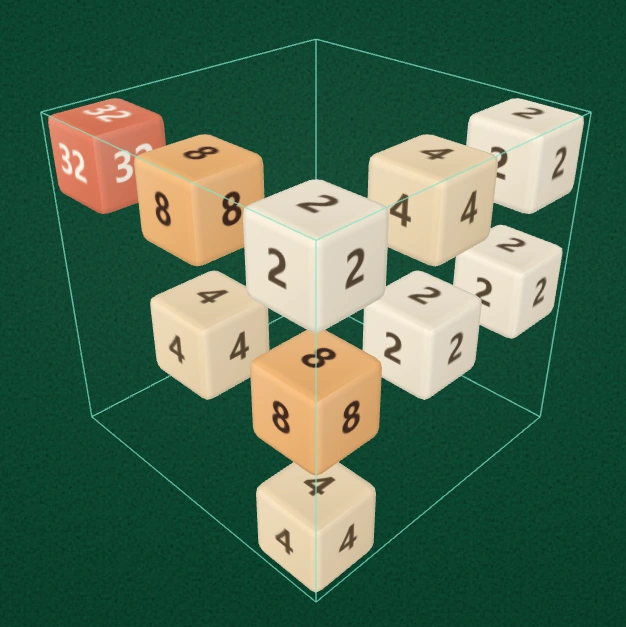
3×3×3 mode: a compact arrangement with 27 possible positions inside the surrounding frame.
The three-cell lines make outcomes relatively quick to follow. It's a good place to practice all six directions and learn how a movement on one axis changes the arrangement seen from another angle.
The trade-off is capacity. With fewer cells, an awkward arrangement of unmatched values can occupy a significant share of the board. Keeping lines open becomes important early.
Choose 3×3×3 if you:
- Are learning the six-direction controls.
- Want shorter, more concentrated decisions.
- Prefer a cube that is easier to scan on a phone.
- Want to practice maintaining a high-value corner under space pressure.
4×4×4: More room, more spatial complexity
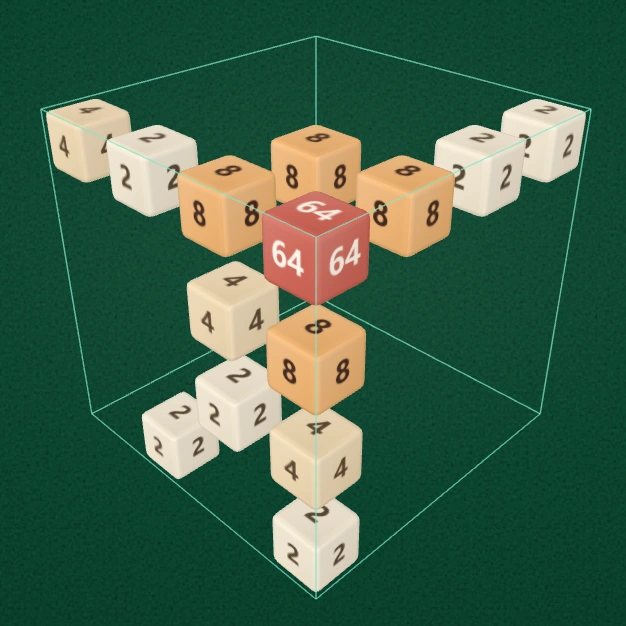
4×4×4 mode: 64 possible positions and four cells along each axis-aligned line.
The larger cube gives you more room to reposition matching numbers before merging them. This can make multi-step setups more interesting, particularly when you need to use one axis to align values for a move on another.
More cells do not mean every decision is easier. You must track four positions per line and several depth layers. The visible faces may conceal important blocks behind others, so observation becomes a bigger part of strategy.
Choose 4×4×4 if you:
- Already feel comfortable with the 3D controls.
- Enjoy planning across multiple movement lines.
- Want more space to experiment with combinations.
- Don't mind rotating the viewpoint to track the interior.
Do the controls change between modes?
No. Both modes use the same fundamental rules and control scheme:
- Six direction arrows for the three axes, with two directions each.
- Mouse or touchscreen swipes aligned with the visible cube axes.
- Left and Right to rotate the viewing angle horizontally by 90°.
- Inspect to view the board while movement is temporarily locked.
- Fit to restore a comfortable camera framing.
- Spacing to spread the individual blocks farther apart without changing each block's size.
You can also use Undo and Restart. Switching board size restores that mode’s saved board when available, or starts a new game if no save exists. The timer resets when you switch modes.
Which mode is harder?
There is no single answer. 3×3×3 is less forgiving of wasted space, because every line is short and the board fills more readily. 4×4×4 is harder to read and plan globally, because more positions and depth layers can be involved in each move.
For your first few games, the smaller board usually makes it easier to understand why a merge did—or did not—happen. After that, the larger mode is a useful test of whether you can plan beyond the immediately visible faces.
Tips that work in both modes
- Check all three dimensions. Two cubes can appear close without sharing a movement line.
- Protect empty cells. Free positions provide flexibility for later combinations.
- Keep high values organized. Avoid scattering your largest blocks across unrelated corners unless a recovery move requires it.
- Inspect before guessing. A different viewing angle can reveal a hidden value.
- Use the same controls consistently. The arrow controller and axis-aligned swipes both act on the 3D board; learn one and use the other when it feels more precise.
For more detailed movement planning, see our 2048 3D strategy guide.
Frequently asked questions
Is 4×4×4 just a zoomed-in 3×3×3 board?
No. It is a larger game grid with 64 distinct positions, compared with 27 in 3×3×3. The movement rules remain the same, but the possible arrangements are different.
Can I switch sizes during a game?
Yes. Choosing the other mode restores its saved board when available, or starts a new game if no save exists; it does not resize the current puzzle in place.
Does increasing Spacing turn 3×3×3 into 4×4×4?
No. Spacing changes the physical separation between rendered cubes. It does not add positions or change the board's rules.
Which mode should I play on mobile?
Start with 3×3×3 if you find the larger cube difficult to read on a small screen. Both modes are playable with touch controls, and the Spacing and Inspect tools can help with visibility.
Try both modes: Play 2048 3D on Uletime and decide whether you prefer tight space management or a larger three-dimensional puzzle.